
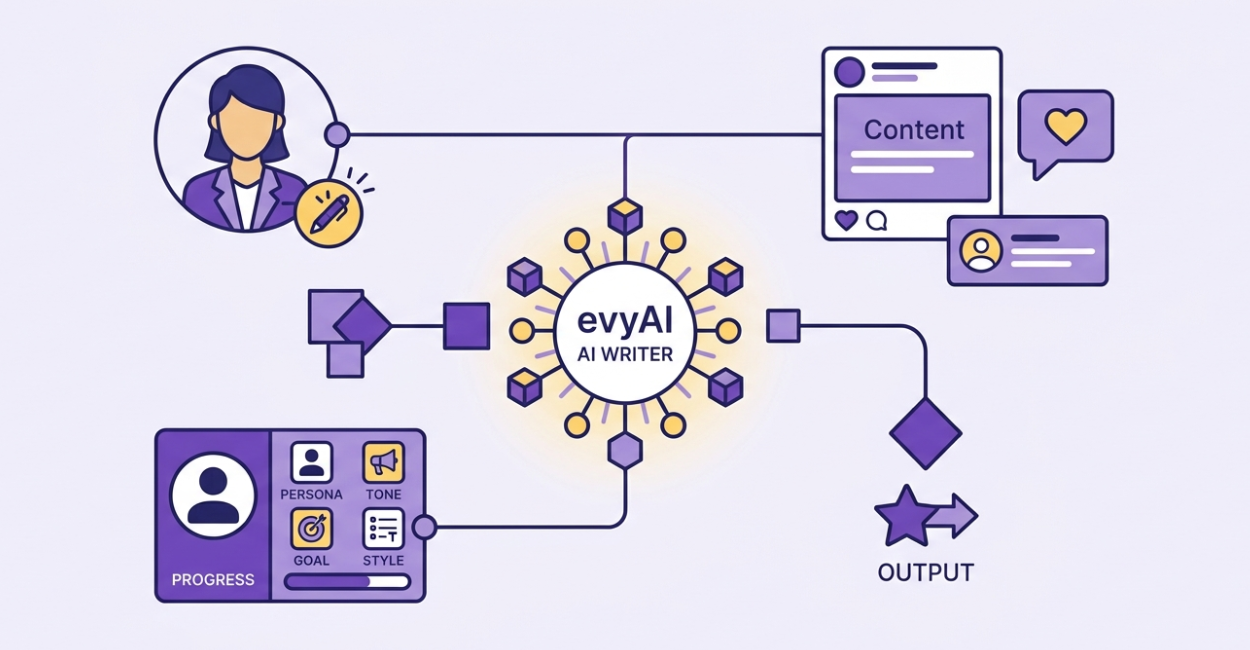
Creating consistent, high-quality content can feel overwhelming, especially when every post, comment, or message needs to sound like you.
That’s where the evyAI AI Writer changes the game.
Instead of relying on basic prompts and generic outputs, evyAI gives users a fully customizable AI writing system designed to match their voice, goals, and content strategy.
Whether you’re creating posts, comments, outreach messages, or long-form content, the AI Writer helps you do it faster and better.
In this guide, we’ll break down exactly how the evyAI AI Writer works, what each feature does, and how to use it to create content that actually converts.
What Is the evyAI AI Writer?
The evyAI AI Writer is a powerful content generation engine available in both the Chrome extension and web app.
It allows users to:
- Generate content from scratch
- Create posts, comments, and messages
- Customize tone, voice, and structure
- Use proven frameworks and templates
Unlike traditional AI tools, the evyAI AI Writer gives you full control over how your content is created, not just what it says.
Every AI Writer Feature Explained
The real power of the evyAI AI Writer comes from its customization options.
Here’s how each one works:
1. Goal: Define the Purpose
The Goal tells the AI what you want your content to achieve.
Examples:
- Encourage Engagement
- Ask a Question
- Introduction Post
- Provide Value
- Seeking Advice
- And more
💡 Always set a goal first. It helps the AI structure your message with intention.
2. Tone: Control How You Sound
Tone defines the emotional feel of your content.
Options include:
- Professional
- Conversational
- Curious
- Empathetic
- Inspirational
- Whimsical
💡 Match your tone to your audience. A casual comment should feel different from a thought leadership post.
3. Persona: Make the Content Sound Like You
The Persona feature is one of the most powerful parts of evyAI.
It tells the AI:
- Who you are
- What you do
- Your background
- Your unique voice
Example:
“You are Joe Apfelbaum, CEO of evyAI and Ajax Union. You are known as The LinkedIn Whale. You are a high-energy entrepreneur, keynote speaker, and author who helps professionals use AI to grow their businesses. You speak directly, use real examples, and always end with BOOM!”
💡 The more detailed your persona, the more authentic your content will feel.
4. Style: Structure Your Content
Styles allow you to pre-define how your content is written.
This includes:
- Format (bullets, story, questions)
- Length (short, medium, long-form)
- Character count
- Writing patterns
Example:
- Thought leadership post
- Story-driven post with questions
- Short-form engagement post
💡 Styles work on top of Goal, Tone, and Persona, giving you a complete content system.
5. Language: Reach a Global Audience
You can select the language for your content, making it easy to:
- Repurpose posts
- Reach international audiences
- Expand your brand globally
6. LLM (Language Model): Choose Your Engine
evyAI allows you to select different AI models for content generation.
Each model has strengths:
- Creative writing
- Structured output
- Accuracy
💡 Experiment to find the best model for your content type.
7. Templates: Skip the Blank Page
Templates provide proven content frameworks so you don’t have to start from scratch.
Example use cases:
- Thought leadership posts
- Outreach messages
- Content series
💡 Templates are perfect for consistency and speed.
8. Add an Image: Enhance Your Content
You can upload an image to guide the AI when generating content.
Use cases:
- Writing captions
- Creating posts around visuals
- Explaining charts or screenshots
9. Command/Prompt Box: Give Clear Instructions
This is where you tell the AI exactly what to create.
Examples:
- “Write a post about why consistency beats intensity in marketing”
- “Write a comment that adds a new perspective to this idea”
- “Write a connection message after meeting someone at an event”
💡 Specific prompts = better results.
10. Microphone: Speak Instead of Typing
Use the microphone to dictate your prompt.
Perfect for:
- Faster input
- On-the-go content creation
- Capturing ideas quickly
Example of a Fully Optimized Setup
- Goal: Build authority + drive engagement
- Tone: Bold and direct
- Persona: Industry expert with a clear, confident voice
- Style: Story + bullet points + questions
- Template: Thought leadership post
- Command: “Write a post about why most AI content fails without a personal voice”
This combination produces high-quality, structured, and personalized content in seconds.
Why the evyAI AI Writer Is Different
Most AI tools work like this:
Enter prompt → Get generic output
The evyAI AI Writer works differently.
It allows you to:
- Define your voice
- Control structure
- Align with your goals
- Create consistent, on-brand content
You’re not just generating content, you’re building a repeatable content system.
The evyAI AI Writer isn’t just another AI tool, it’s a complete content engine.
When you combine:
- Goals
- Tone
- Persona
- Styles
- Templates
You move from random content creation to intentional, strategic communication.
If you want content that sounds like you, builds trust, and drives results, this is where it starts.
Set up your Persona. Build your Styles. Define your Goals.
And let the evyAI AI Writer do the heavy lifting.
Try out evyAI for FREE by installing the Chrome extension here.
If you like evyAI consider upgrading to a Premium or Pro subscription for unlimited posts, comments, and more.