What if you never had to start a LinkedIn post from zero again?
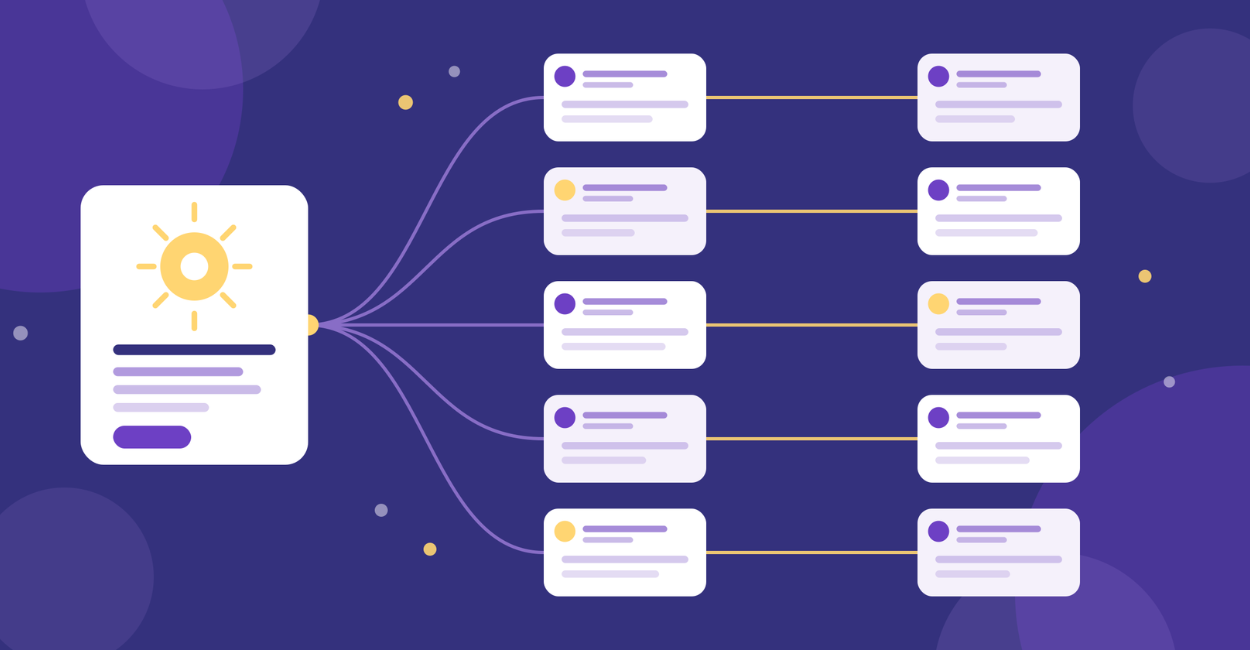
What if one idea could give you 10 posts, and you could draft them in 30 minutes?
That is the whole game. A content repurposing workflow is not a content hack.
It is the difference between posting when you feel inspired and posting because you have a system.
Below is the exact 30-minute sprint, the 10 angles that make repurposing feel fresh instead of repetitive, and how to set it up inside evyAI so the workflow survives your busiest week.
The 30-Minute Content Reporpusing Workflow Sprint at a Glance
This is how the content repurposing workflow runs when you are busy, tired, and still want to show up.
One core idea, then 10 deliberate variations.
- Minute 0 to 5: Capture the core idea and who it is for.
- Minute 5 to 10: Generate 10 angles and hooks.
- Minute 10 to 25: Draft the 10 posts fast.
- Minute 25 to 30: Tighten, schedule, and pull engagement prompts.
Consistency is not willpower.
Consistency is a workflow.
Why Your Voice and Audience Come First
Two ingredients make any repurposing workflow actually work: your voice and your audience.
Miss either one and you get 10 posts that sound like a machine talking to nobody in particular.
Inside evyAI, those two ingredients are settings you configure once rather than decisions you re-make every time:
- Styles hold your tone, pacing, and sentence rhythm.
- The Persona is who is writing, a version of you per platform or audience.
- The Post Writer takes both as input and produces a draft you edit rather than a blank page you fear.
If you want a deeper guide to voice, read Create Content in Your Own Voice With AI: 7 Steps to Sound Human Every Time..
Step 1: Pick One Core Idea Worth Repeating
Most people try to post daily, so they hunt for daily ideas.
That is backwards.
Pick one weekly idea worth repeating from multiple angles.
- A mistake you see your clients make.
- A simple framework you teach.
- A strong opinion you can back up.
- A result you helped someone get.
- A lesson you learned the hard way.
PRO TIP: Your best core idea is usually something you have already explained 20 times in DMs.
If you are tired of saying it, your audience is probably just starting to hear it.
How evyAI Helps With Finding the One Idea
When you are stuck, brainstorming harder rarely works.
What works is a prompt that forces a direction.
The Idea Generator does that job: instead of asking “what should I post,” you ask for ideas tied to a specific offer or problem, and you get angles you can immediately judge as usable or not.
Run the same topic through three different Personas and one idea returns as three genuinely different starting points.
When a prompt produces something good, save it as a Template so next Monday starts from that prompt rather than from nothing.
If you want more on idea generation, this post is a good companion: 4 Content Ideas in Seconds: How the evyAI AI Idea Generator Helps You Never Run Out of Posts.
Step 2: Duplicate the Idea Across Personas
The same idea lands differently depending on who is reading it.
This is where variety comes from in a content repurposing workflow.
Not from new topics, but from new readers.
This is how you get variety without changing the topic:
- Post 1 speaks to founders who want growth.
- Post 2 speaks to sales leaders who want pipeline.
- Post 3 speaks to coaches who want leads.
- Post 4 speaks to job seekers who want visibility.
Same idea.
Different pain.
How evyAI Helps You Switch Audiences Without Rewriting
Create 3 to 5 Personas that represent the people you actually want to talk to.
- Persona: “SaaS founder with a small sales team.”
- Persona: “Agency owner, referrals heavy, inconsistent content.”
- Persona: “Consultant who sells high ticket and hates posting.”
Then generate the post for each Persona, using the same core idea, inside Post Writer.
Step 3: Build 10 Angles, Not 10 Random Posts
Angles are the engine of this workflow.
They are what keep repurposing from reading as repetition.
Here are 10 angles worth keeping on file:
- Contrarian: “Stop doing X, do Y instead.”
- Mistake: “The biggest mistake I see with X.”
- Checklist: “If you want X, check these 5 boxes.”
- Story: “I learned this the hard way.”
- Step-by-step: “Do this, then this, then this.”
- Myth-bust: “You do not need X to get Y.”
- Before/After: “Before we did X, after we did Y.”
- FAQ: “People ask me this all the time.”
- Rules: “My 3 rules for doing X.”
- Swipeable: “Steal this script, template, or framework.”
PRO TIP: Write one anchor sentence for the core idea, then require every angle to point back to it.
If an angle drifts from the anchor, it is a new idea for a different week.
How evyAI Helps With Angles and Hooks
This is where AI should do the heavy lifting.
- Use Post Writer to request multiple hooks for the same post.
- Save your favorite hook patterns as Templates.
- Use Styles so hooks feel like you, not like everyone else.
Step 4: Draft Fast by Changing Format
Most people repurpose only by rewording.
Better move, repurpose by format.
- Short punch: 5 to 8 lines, one point.
- List post: 5 bullets, one sentence each.
- Mini story: problem, turning point, lesson.
- Framework: name it, define it, steps.
- Q and A: question, answer, example.
A reader who sees the same idea as a story on Tuesday and a checklist on Friday experiences two different posts.
Format is what buys you that.
How evyAI Helps You Make Fewer Decisions
You do not need more creativity.
You need fewer decisions per post.
- Build one Template per format (a List Post template, a Story Post template, a Contrarian Take template) each holding the skeleton you already know works.
- Then in the Post Writer, combine a template with your Style and the drafting step stops being a writing problem and becomes an assembly problem.
For more on building a template library, read AI Templates: Write 10 Everyday Business Messages Fast Without Starting From Scratch.
Step 5: Add Engagement Handles So Posts Start Conversations
Posting is not the win.
Conversations are the win.
Give every post one clear engagement handle:
- Binary question: “Do you agree — yes or no?”
- Story request: “What happened when you tried this?”
- Vote: “Which matters more, A or B?”
- Keyword invite: “Comment ‘workflow’ and I will send my outline.”
- Counterpoint: “What am I missing?”
Go deeper in 10 Proven Ways to Get More Post Engagement and Grow Your Professional Brand.
How evyAI Helps You Reply Like a Human, Quickly
The weak point in most content systems is not the posting.
It is the 40 replies that arrive afterward, when you are between meetings and tempted to answer with “Thanks!”
- Use the right voice with Styles.
- Keep your best replies saved as Templates.
- Turn engagement into networking by visiting the Networking tab and staying consistent with your outreach habits.
Also, keep this in your back pocket: Copy-Paste: 12 Comment Starters That Sound Human and Turn Posts Into Real Conversations.
Step 6: Turn the Sprint Into a Weekly System
The goal is not to have 10 posts.
The goal is to have a machine that makes 10 posts every week.
- Pick one core idea every Monday.
- Create 10 angles in one sitting.
- Post 3 to 5 of them this week.
- Save 5 for next week when life gets chaotic.
- Recycle the best performer next month with a new hook.
This plugs directly into the daily consistency method, if you want structure, use the 1-5-10-20 method.
How evyAI Helps With Staying Consistent When You Are Busy
Consistency is easier when the system is smaller than your mood.
- Draft quickly in Post Writer.
- Lock your voice in with Styles.
- Rotate your audiences with Personas.
- Standardize your formats with Templates.
If you ever want live help tightening your workflow, join Office Hours: Get Live Zoom Help Twice a Day, Fix Your LinkedIn Workflow in 20 Minutes.
Start Your First Sprint This Week
Repurposing is not a content hack.
It is a confidence hack.
A content repurposing workflow keeps you in motion, which keeps you visible, which keeps conversations flowing.
And conversations are where business comes from.
One idea. Ten angles. Thirty minutes.
Start your free trial of evyAI and run your first repurposing sprint before Monday.
Try out evyAI for FREE by downloading the Chrome extension, and when you are ready, upgrade to Premium or Pro for unlimited posts, comments, and more.